

Why Canon laser printers?
Canon has been known for many years for the quality of its products and the high precision of its printing. Its color laser printers are not just printing devices, but practical tools that save time, reduce costs, and deliver professional results every time.
In this article, we will present a simple and practical comparison between three printers of roughly the same category:
We will explain the common features between them, the main differences, and who each printer is suitable for according to the type of use.
First: What do these three printers have in common?
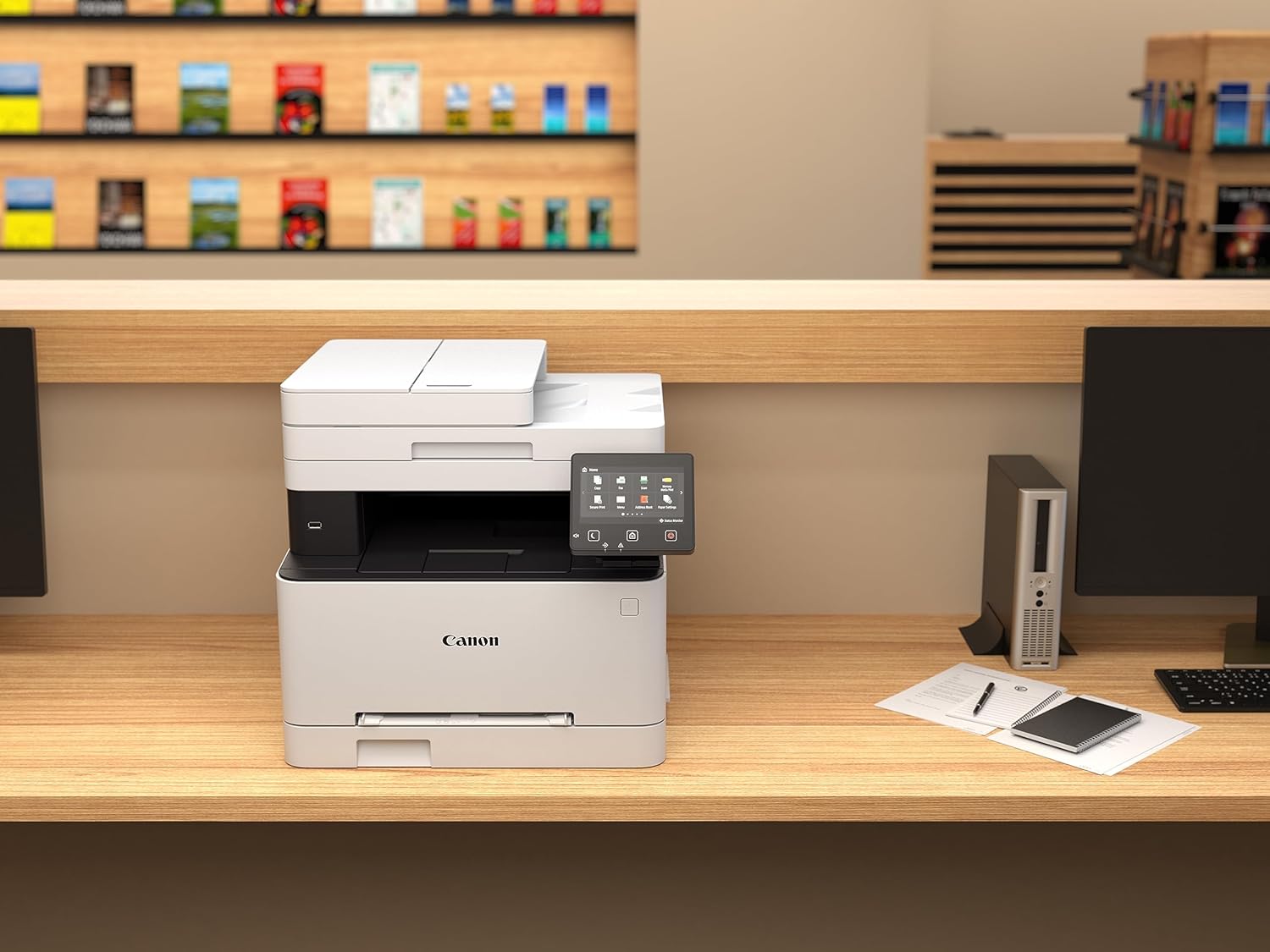
All of these printers are color multifunction laser printers (they print, copy, scan, and, in some models, fax). They are considered modern Canon printers, meaning they all:
- It prints at a very high quality of up to 1200 x 1200 dots per inch, which means clear text and accurate colors.
- It supports wireless (Wi-Fi) connectivity , so you can print from your phone or computer without a cable.
- It features a color touchscreen that makes it easy to manage the printer settings.
- It operates at a similar speed of 18 to 21 pages per minute, which is an excellent speed for small and medium-sized offices.
- It supports the Canon PRINT Business app , which allows you to send your files for printing directly from your mobile phone or cloud storage.
In simple terms: they all offer professional printing with excellent quality, reasonable speed, and ease of use.
But the subtle differences between them are what determine which one is best for you.
Second: Canon MF651CW – Best for simple home and office use
If you are looking for a reliable printer for everyday use, whether at home or in a small office, the Canon MF651CW printer would be an ideal choice.
Its main features:
- Very easy to operate with a 5-inch touchscreen.
- It supports wireless connectivity and printing from mobile phones.
- Excellent color quality suitable for documents and presentations.
- Compact design that doesn't require much space.
The only weakness:
- Automatic double-sided printing is not supported (you need to turn the paper manually).
The most suitable category:
Home users or small office owners who want a practical printer for printing documents and presentations without complexity or high cost.
Third: Canon i-SENSYS MF657 – Professional performance for active offices
The Canon i-SENSYS MF657 printer is the most powerful and professional version in its class. It combines speed, security, and intelligent performance, making it ideal for work teams and offices that handle many files daily.
Its main features:
- Higher printing speed (21 pages per minute).
- It supports automatic duplex printing to save paper.
- It contains advanced security systems to protect sensitive documents.
- It can scan directly to email or cloud storage.
- A large touchscreen that can be customized for quick access to frequently used tasks.
Weakness point:
- It is slightly larger than the MF651CW.
- Its price is higher, but that's justified by the advanced performance it offers.
The most suitable category:
Small and medium-sized businesses, and offices that need intensive daily printing and fast performance with a high level of security.
Fourth: Canon MF655CDW – The balanced choice between simplicity and professionalism
The Canon MF655CDW is the printer that strikes a balance between the above advantages. It offers fast printing speeds, automatic duplex printing, and a smart, user-friendly interface.
Its main features:
- Printing speed up to 21 pages per minute.
- Automatic double-sided printing.
- Full support for printing via Wi-Fi Direct without the need for a network.
- Easy-to-use and responsive touchscreen.
- The PIN Printing feature is supported to protect sensitive documents.
Weakness point:
- It does not contain some of the smart scanning features found in the MF657.
- It consumes more energy during intensive printing.
The most suitable category:
Anyone who wants a complete printer that combines speed, quality and ease of use, whether in a small office or a sophisticated home.
Fifth: How do you choose the right printer for you?
- If your usage is simple (such as printing invoices or light documents), then choose the MF651CW .
- If you are looking for an all-in-one printer with advanced features and a reasonable price, the MF655CDW printer is the perfect choice.
- If you work in a busy office or professional environment and need a powerful printer with high security, then choose the i-SENSYS MF657 without hesitation.
Summary
All three Canon printers offer high print quality and reliable performance, but the differences lie in the small details:
- The MF651CW is suitable for the average user who wants simple and easy performance.
- The MF655CDW offers a great balance between speed and modern technology.
- The i-SENSYS MF657 is the best for those who want professional performance in a sophisticated work environment.
In other words, there is no single "best" printer, only one best suited to your needs . Consider your printing volume, the number of users, and your requirements for wireless printing or security, then choose the model that best suits you.
Frequently Asked Questions (FAQs)
1. Can I print from my phone on all these printers?
Yes, they all support printing from phones via the Canon PRINT Business app, AirPrint and Mopria.
2. Do these printers support duplex printing?
Yes, except for the MF651CW which requires manual paper turning.
3. What is the cost of replacing the ink cartridges for these printers?
Original Canon inks are reasonably priced and considered economical due to their long lifespan compared to inkjet printers.
4. Can these printers be used in a shared work environment?
Yes, especially the MF655CDW and MF657, as they support wired and wireless network connectivity and are suitable for group use.
5. What is the main difference between the MF655CDW and the MF657?
The MF657 excels in security features and smart scanning, while the MF655CDW focuses on balance and ease of use.
Final conclusion:
If you want a simple and reliable printer, choose the MF651CW .
If you want advanced performance and excellent speed, choose the MF655CDW .
But if you are looking for maximum performance and professionalism, the i-SENSYS MF657 printer is the most suitable for you.